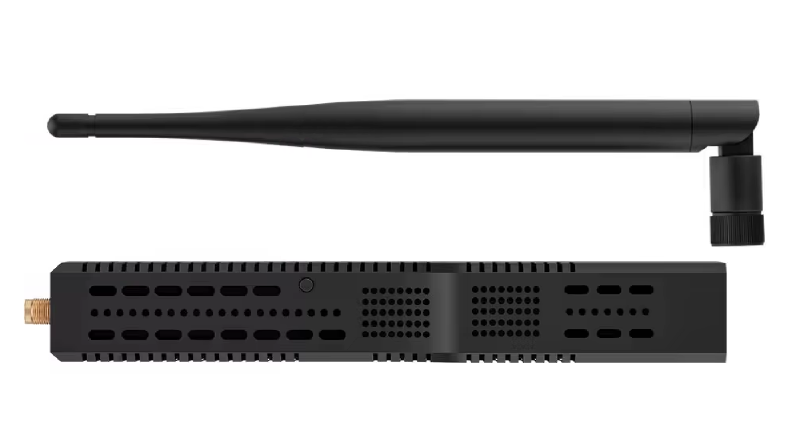
TL;DR
The SLZB-06M is not compelling because it looks more premium than a USB stick. It is compelling because it lets you stop putting your Zigbee coordinator where your Home Assistant host happens to sit. If that host lives in a rack, basement, or utility room, LAN + PoE + remote firmware management is a real operational advantage, not a spec-sheet gimmick.
If your Home Assistant machine already sits in a clean, central RF position, a good USB coordinator can still be enough. The SLZB-06M is strongest when topology, maintenance, and placement matter more than the sticker price.
Scope of this hands-on
This is not a product teaser and not a generic buying guide. The focus is practical operation in Home Assistant with ZHA:
- coordinator setup and migration
- placement impact (host-bound USB vs network placement)
- firmware and maintenance workflow
- where the hardware architecture actually matters
- limits and failure modes in real use
For broader coordinator orientation, use the hub article: Zigbee-Koordinatoren für Home Assistant: Technischer Vergleich von Sonoff, ConBee III und SMLIGHT.
Why this adapter can matter technically
If you run Home Assistant on a mini PC in a good central location, a USB coordinator can be perfectly fine. But many real installations do not look like that. The HA box ends up in a basement, inside a rack, next to other network gear, or somewhere else that is convenient for Ethernet but terrible for 2.4 GHz radio.
At that point, you are no longer choosing between coordinators on equal footing. You are choosing between host-bound coordinator placement and network-placed coordinator placement. That difference matters more than many coordinator comparisons admit.
A Zigbee coordinator is not just a chipset. It is part of a full RF system shaped by:
- host location
- distance to dense router clusters
- EMI around USB and power supplies
- wall and floor attenuation
- channel overlap with Wi-Fi
Over time, I have seen more trouble caused by bad placement, USB noise, and awkward cable compromises than by the nominal radio specs of modern coordinator sticks. The SLZB-06M addresses exactly that bottleneck: it decouples coordinator placement from host placement. That is the part that gives it real bite in practice.
Architecture at a glance
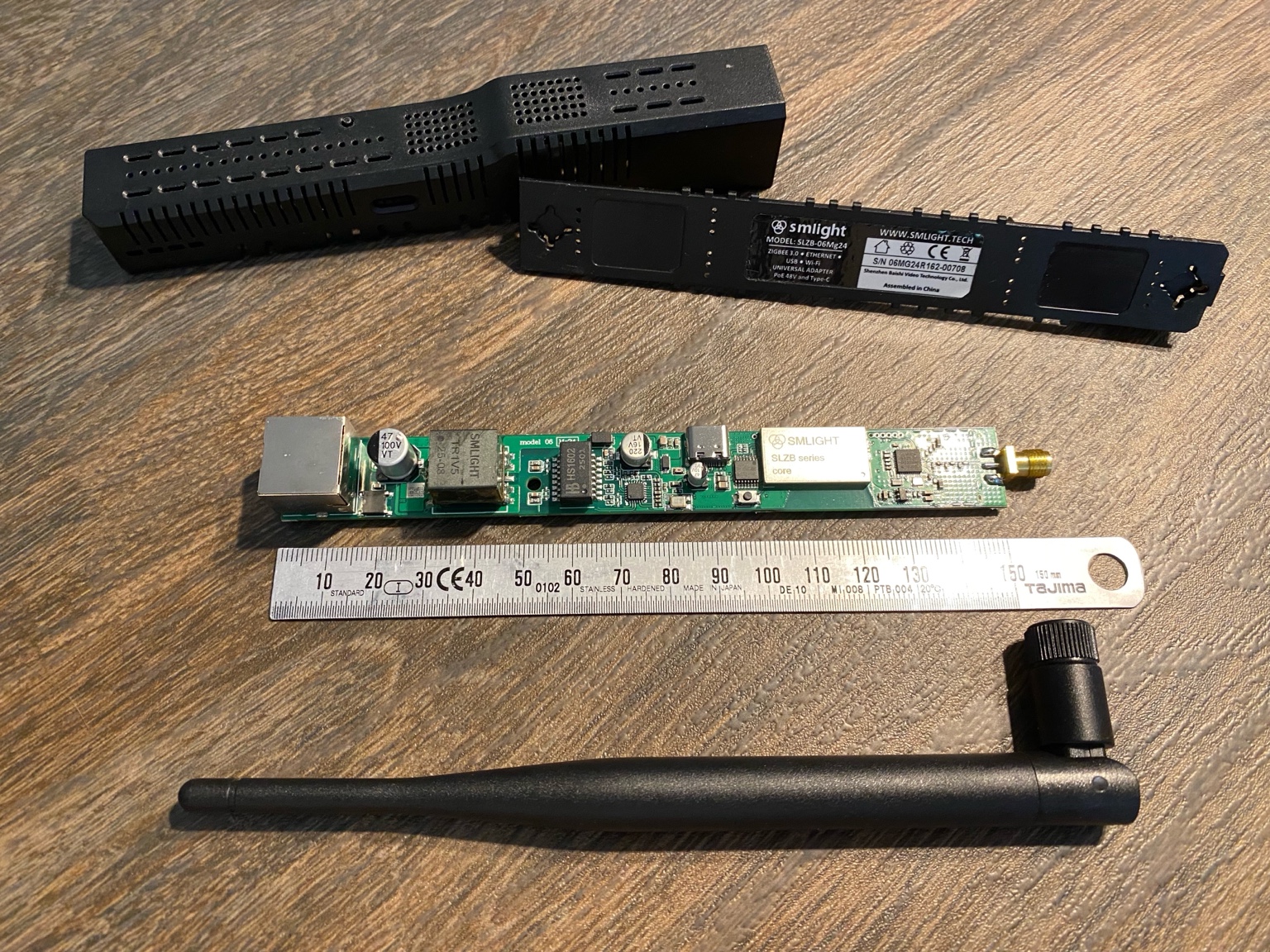
Relevant building blocks:
- EFR32MG21 for Zigbee radio duties
- ESP32 for management, network bridge, and device web UI
- Ethernet + PoE for flexible install position
- CP2102N USB-UART path as fallback for direct-host usage
- external antenna and amplified RF path for a less compromised radio setup than many compact sticks
This split architecture is the reason it behaves differently from a pure USB dongle in practice. The MG21 handles Zigbee. The ESP32 handles the network-facing side, web UI, firmware flow, and mode switching. That does not make the SLZB-06M immune to mesh problems, but it does make it feel much more like a dedicated infrastructure component than a serial adapter with an antenna.
Setup workflow in Home Assistant (ZHA)
My stable path for first setup:
- Mount the adapter at a sensible RF position (not next to Wi-Fi APs, metal cabinets, or USB3 noise sources).
- Connect LAN and PoE.
- Assign a stable network identity (DHCP reservation or static mapping).
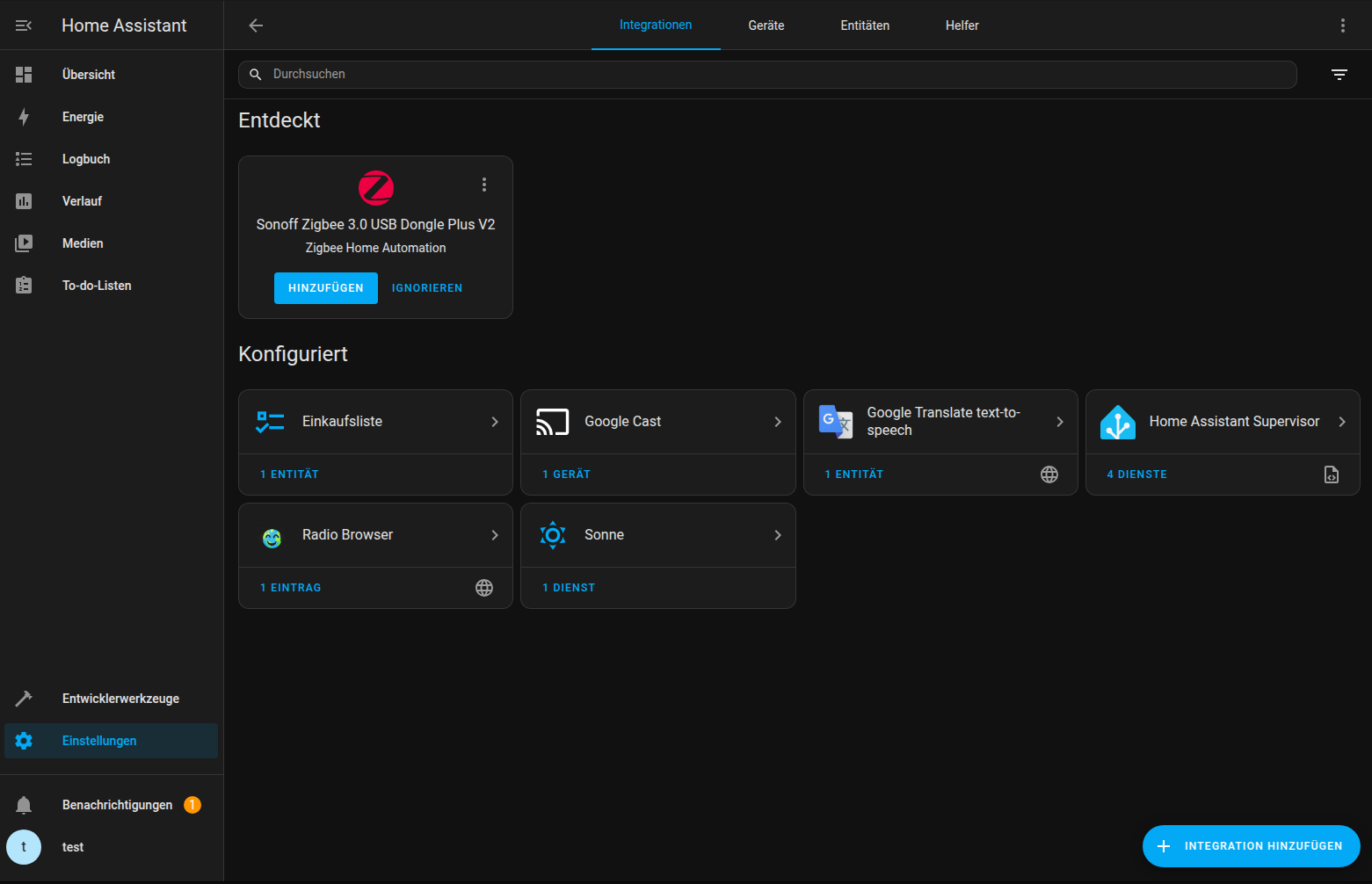
- Add Zigbee Home Automation (ZHA) in Home Assistant and let auto-discovery try first.
- If needed, add it manually as an EZSP network adapter via
socket://<ip>:6638. - Validate by pairing one or two known router devices first, then add end devices.
For migration from an existing ZHA coordinator, use ZHA radio migration before considering manual re-pairing. In practice, coordinator migration is often much less dramatic than people fear. Re-pairing every battery device should be the fallback, not the default plan.
Operational observations
1. Placement freedom is the biggest gain
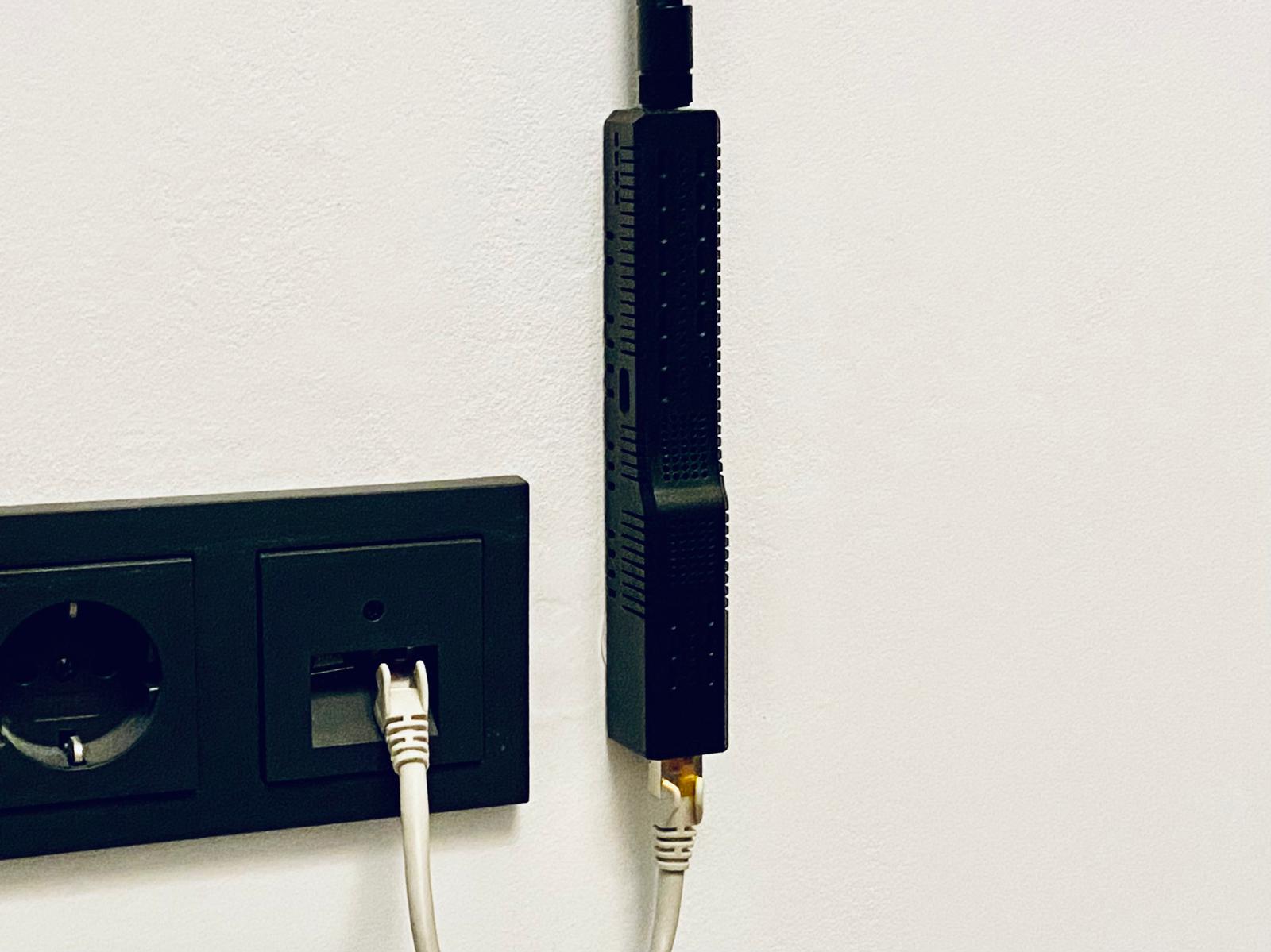
This was the decisive change for me. Moving the coordinator away from the host and into a better RF position usually has more effect than swapping between two similar USB-class coordinators on the same bad host location.
That is why I would be careful with simplistic “best coordinator” claims. A well-placed network coordinator often wins by fixing the installation, not by doing radio magic. In other words, the SLZB-06M often performs better because it lets you stop making the coordinator live in the wrong place.
I had already tried the Ethernet idea before with older hardware, and that still felt like a compromise. The SLZB-06M is the first Ethernet-based coordinator I used where I did not feel I had to trade placement freedom for an older or weaker platform.
2. Maintenance workflow is low-friction
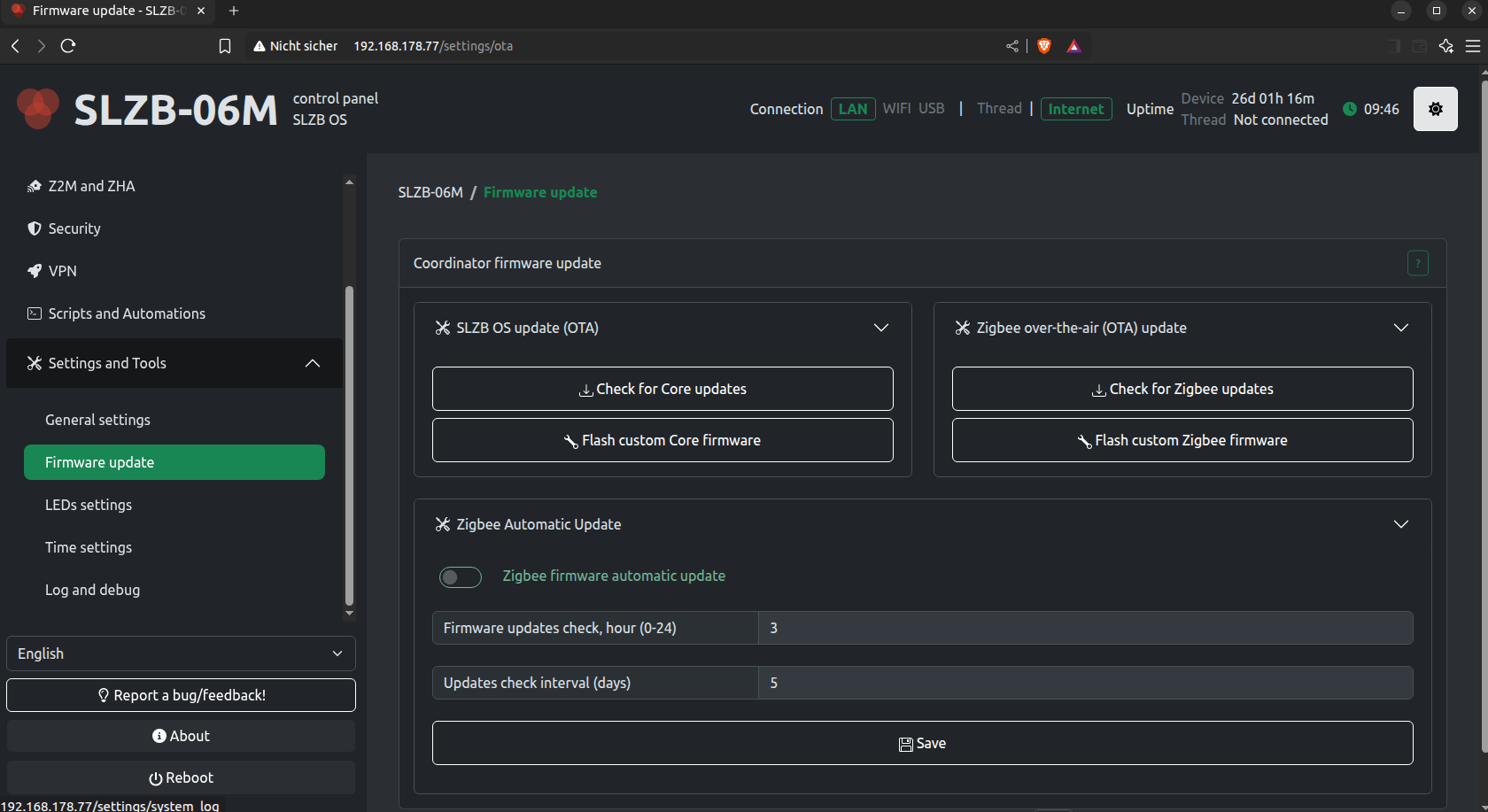
The web UI sounds like a convenience feature until the coordinator is ceiling-mounted, PoE-powered, and living on the other side of the house. At that point, remote firmware updates for both the Zigbee side and the management side stop being nice-to-have. They become the difference between a five-minute maintenance task and dragging out a ladder, cables, and a laptop again.
That lower-friction workflow is part of the reason this adapter feels different in long-term use. Many coordinator reviews ignore this because it does not show up in a simple latency chart. Operationally, it matters.
3. ZHA integration is stable when network basics are correct
Home Assistant usually detects the SLZB-06M immediately, and once attached it behaves like a normal EZSP coordinator. That is exactly what I want. The interesting part is not that initial setup is easy. The interesting part is that day-two operation stays boring.
With proper channel planning and enough powered routers, the SLZB-06M + ZHA combination is predictable in daily use. Most instability symptoms in larger meshes still come from topology, router quality, or one noisy device, not from the coordinator spontaneously becoming unreliable.
4. The debugging angle is genuinely useful
The SLZB-06M is also unusually practical once you move beyond normal device pairing and start doing actual Zigbee debugging. The device is not limited to the narrow role of “the stick that stays plugged into Home Assistant forever.” For more technical setups, the ability to repurpose the hardware for capture, analysis, or role changes is real value, not brochure filler.
Where this device helps most
Use cases where this adapter is consistently useful:
- HA host in rack/basement/utility room
- multi-floor layouts needing central coordinator position
- setups where USB EMI was a known issue
- environments needing remote maintenance access
- labs where coordinator/router/sniffer role switching is useful
If none of those constraints are real, the premium is harder to justify.
Known limits and tradeoffs
No coordinator solves bad mesh design by itself. In practice, these limits remain:
- poor router density still causes instability
- bad channel overlap still causes retries and latency spikes
- wrong placement can waste the LAN/PoE advantage entirely
- feature-rich hardware adds some initial configuration overhead
- the price is harder to justify if a centrally placed USB coordinator already works well
Treat the adapter as an infrastructure component, not as a magic stability switch. If your network problems come from weak routers, bad channel planning, or broken device behavior, the SLZB-06M can make diagnosis easier, but it will not rewrite Zigbee physics.
Sniffing and debugging workflow
The SLZB-06M becomes even more interesting when you need deeper packet visibility. A networked adapter with PoE is simply easier to place in the best listening position than a USB stick tethered to the Home Assistant host.
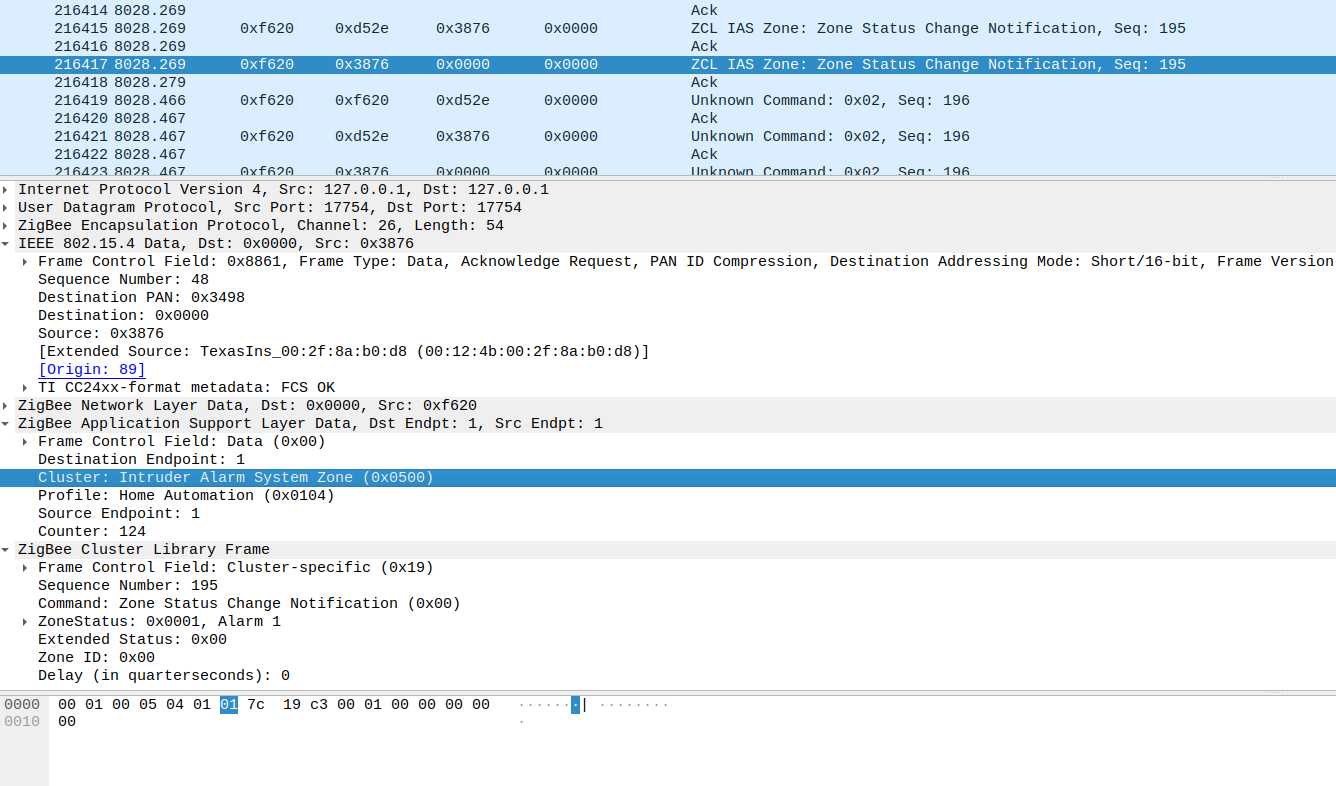
For the full process, use: Zigbee Sniffing Guide: Analyze Your Smart Home Network.
For routing behavior interpretation, use: Table Routing vs. Source Routing in ZHA - Are You Missing Out?.
Practical verdict
What makes the SLZB-06M strong is not one benchmark number or one feature checkbox. It is the combination of placement freedom, boring ZHA integration, low-friction maintenance, and unusually useful debugging options. That mix makes it feel less like “another coordinator dongle” and more like part of the house infrastructure.
My practical decision rule looks like this:
- If your coordinator is currently forced to live in a bad RF spot, this is one of the cleanest upgrades you can make.
- If your USB coordinator is already well placed and your mesh is healthy, the SLZB-06M is a quality-of-life upgrade, not an emergency fix.
- If you care about packet captures, routing analysis, or a more deliberate Zigbee lab setup, the device becomes much easier to justify.