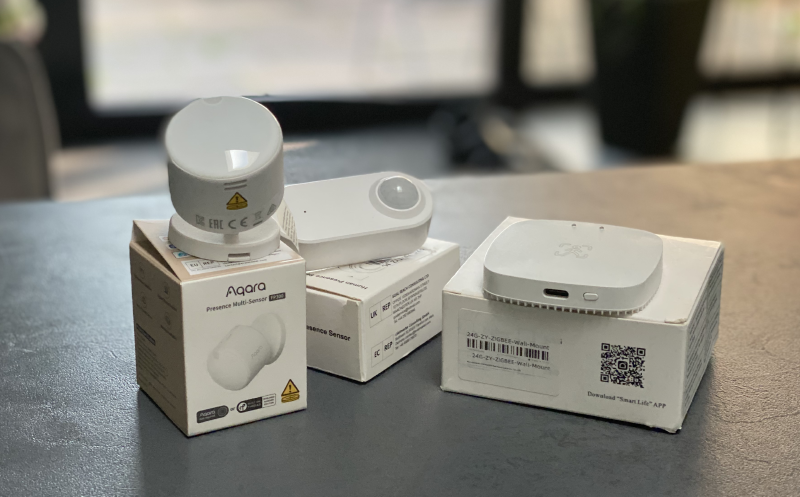
TL;DR
Create a folder under/config/, set it ascustom_quirks_pathunderzha:inconfiguration.yaml, drop the Python quirk file into that folder, and restart Home Assistant.
If nothing changes afterwards: remove and re-pair the device - many quirks only take effect during the device interview.
Quick navigation
- Already using an Aqara FP300? Jump to Install Aqara FP300 Custom Quirk
- Still deciding whether the FP300 is worth it? Read my FP300 hands-on
- New to ZHA? Start with my Zigbee + ZHA setup guide
- Need better Zigbee hardware first? Check my Zigbee coordinator comparison
Why “Quirks” at all?
ZHA does a solid job for devices that follow Zigbee specs closely. The problem: not every device does - and many advanced features are hidden behind manufacturer-specific clusters.
That’s what ZHA Device Handlers (a.k.a. zha-quirks / “quirks”) are for: small Python modules that can
- correctly identify devices,
- translate clusters and attributes,
- expose extra entities,
- apply workarounds for vendor oddities.
If a quirk is not merged upstream (yet), you can still use it locally in Home Assistant - that’s exactly what this page covers.
For the Aqara FP300, this matters a lot: without a dedicated quirk, ZHA may recognize only part of the device properly. With the custom quirk, the FP300 becomes much more useful in day-to-day Home Assistant usage.
If you are here because you already own the FP300 and just want it working in ZHA, you can safely skip the theory and go straight to the installation steps below.
Before you start
You should already have the following in place:
- Home Assistant with the ZHA integration enabled
- access to your HA config directory (
/config/), for example via:- File Editor / Studio Code Server add-on
- Samba/SMB share
- SSH / terminal
- permission to restart Home Assistant
If you are still building your Zigbee setup, these two articles are the best next stop before continuing:
- Zigbee und ZHA in Home Assistant: Schritt-für-Schritt-Guide
- Die besten Zigbee-Koordinatoren für Home Assistant – Vergleich, Test & Empfehlungen
Step-by-step: Install custom ZHA quirks
You only need three things: a folder under /config/, a single line in configuration.yaml, and the quirk .py file.
1) Create a folder for your local quirks
Pick any name you like. Example:
| |
2) Point ZHA to that folder
Open configuration.yaml and add (or extend) the zha: block:
| |
3) Drop the quirk file into the folder
Save the quirk as a .py file, for example:
| |
4) Restart Home Assistant
Use Settings → System → Restart (or a full restart, depending on your setup).
If you are just getting started with ZHA in general, my full ZHA setup guide covers the broader setup, coordinator choices and pairing basics.
⚠️ Important: Remove & re-pair the device if needed
If you don’t see new entities or any behavior changes after restarting Home Assistant, the quirk may not have been applied yet. In that case, force a clean re-interview:
- 🗑️ Remove the device from ZHA
- 🔄 Factory reset the device (if applicable)
- 🔗 Pair it again
✅ It’s a bit annoying — but it’s often the decisive step. Many quirks hook into the initial device interview, so a restart alone may not be enough.
If re-pairing still does not help, continue with my deeper ZHA troubleshooting article:
ZHA-Integration erklärt: Konfiguration, Updates, Diagnose und Problembehebung
Install Aqara FP300 Custom Quirk
The Aqara FP300 is a perfect real-world example of why custom quirks matter.
Out of the box, ZHA can only do so much if a device relies on vendor-specific behavior or exposes capabilities in a way that is not mapped yet. A dedicated quirk bridges that gap by teaching ZHA how to interpret the device correctly and by surfacing the right entities in Home Assistant.
For the FP300, I created a quirk and submitted it upstream to the official ZHA Device Handlers repository (zha-device-handlers / zha-quirks).
- Tracking issue: FP300 support issue #4487
- Pull request: open PR #4504
- Copy/paste-ready quirk file: FP300 quirk Gist
The PR is currently in review. And even once it is merged, it can still take time until the changes land in a released zha-quirks version and Home Assistant updates that dependency in a stable release. So “merged” does not always mean “available in your Home Assistant instance today”.
That is exactly why local custom quirks are useful: you can use the same quirk code locally right now, and later switch back to upstream support once it ships officially.
How to use the FP300 quirk locally
- Copy the quirk from the Gist into
/config/custom_zha_quirks/asaqara_fp300.py - Restart Home Assistant
- If you still do not see the expected entities: remove and re-pair the FP300
What you should read next, depending on your situation
You already own the FP300 and just want it working reliably
Continue with: ZHA troubleshooting and diagnosis
You are still deciding whether the FP300 is worth keeping or buying for another room
Read my full Aqara FP300 hands-on
Your ZHA setup is still evolving and you may need better hardware
Start with my Zigbee coordinator comparison and, if you want my current favorite in more detail, the SMLight SLZB-06M review
You are wondering whether ZHA is the right stack for devices like this
See my comparison: Zigbee2MQTT vs. ZHA
Common problems after installing a custom quirk
The quirk file is loaded, but nothing changes
In many cases, the device was already interviewed before the quirk was available. That means ZHA keeps working with the old view of the device.
The fix is usually simple:
- remove the device from ZHA
- factory reset it if required by the vendor
- pair it again so the interview runs with the custom quirk in place
The device still behaves oddly in a larger Zigbee network
Then the issue may not be the quirk itself, but the quality of your Zigbee mesh:
- coordinator placement
- weak routing
- problematic routers
- stale routes or interview issues
For that case, these articles are more helpful than yet another reinstall:
- Die besten Zigbee-Koordinatoren für Home Assistant – Vergleich, Test & Empfehlungen
- Table Routing vs. Source Routing in ZHA – Are You Missing Out?
- Zigbee Sniffing Guide: Analyze Your Smart Home Network
FAQ
How do I roll back and remove a custom quirk?
- Delete (or rename) the
.pyfile inside yourcustom_quirks_path. - Restart Home Assistant.
- If you want a truly clean state: remove and re-pair the device so it gets interviewed without the quirk.
To verify that you are really back to the non-quirk state, enable debug logging briefly and check for matching zhaquirks log messages.
Do I need to set enable_quirks?
In most setups quirks are enabled by default. If you want to be explicit:
| |
Does this work in Home Assistant Container?
Yes — as long as your config volume is mounted to /config/ and your quirk folder lives there.
Can I override built-in quirks with this?
Yes. custom_quirks_path is loaded in addition to built-in quirks, and a matching custom quirk can take precedence (as long as the device signature matches).